
See what your shoppers will actually see
Every result below was generated through the live Genvoris pipeline on a real Shopify storefront — same widget, same API, same models your customers would hit. Nothing here is retouched or cherry-picked, and the Free-plan watermark is left exactly where the product puts it.
Outerwear
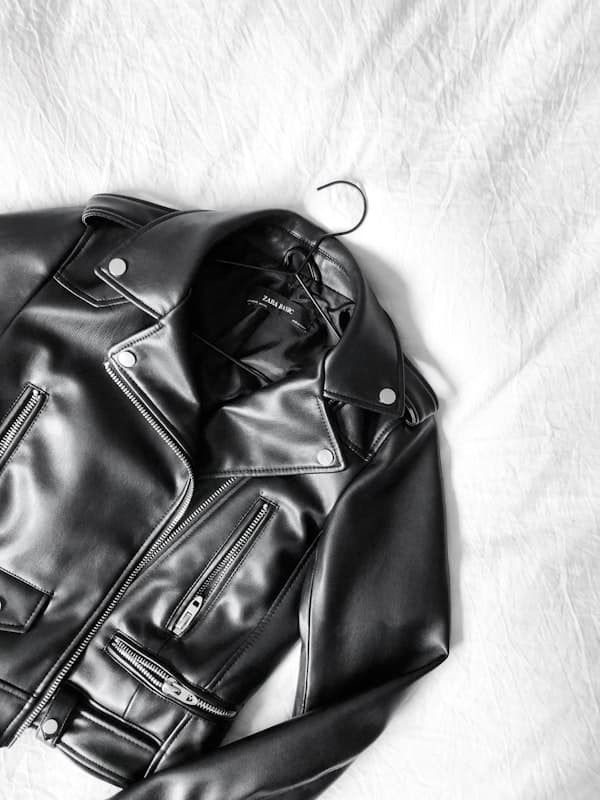
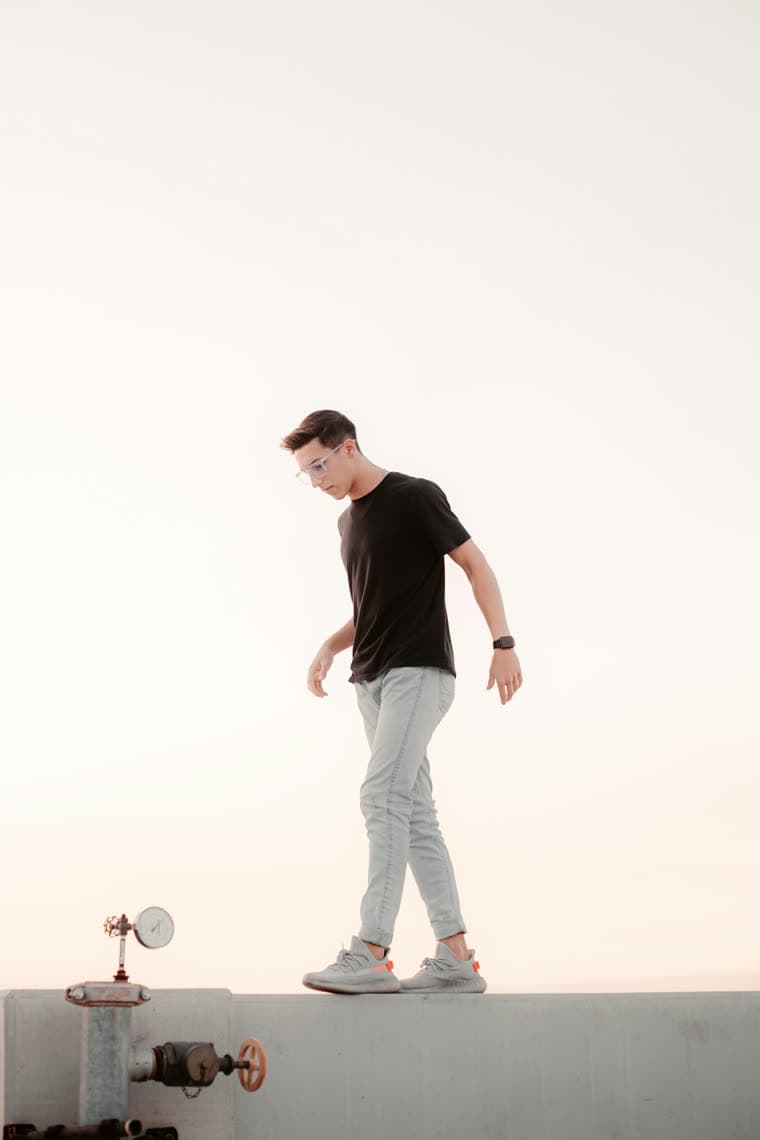
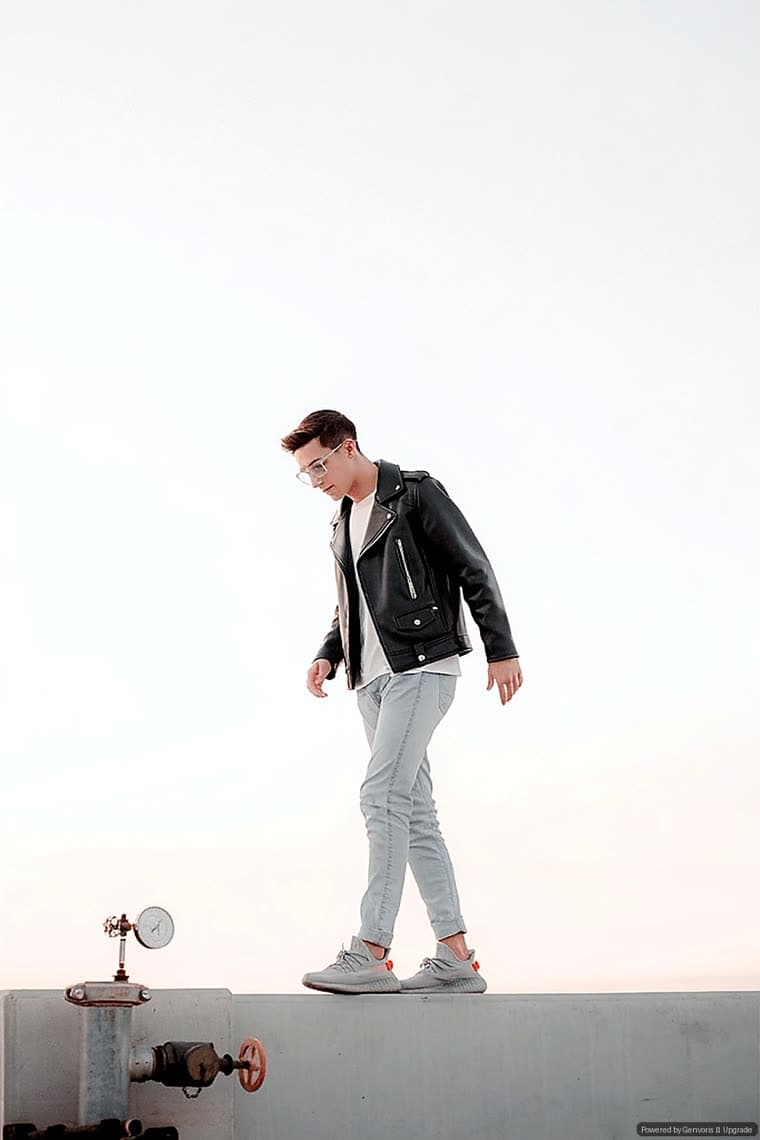
Black Leather Biker Jacket
 RESULT
Structured outerwear over an existing outfit. The collar, zip placement and shoulder line follow the shopper’s real posture, and the layered t-shirt underneath is preserved rather than painted over.
Knitwear
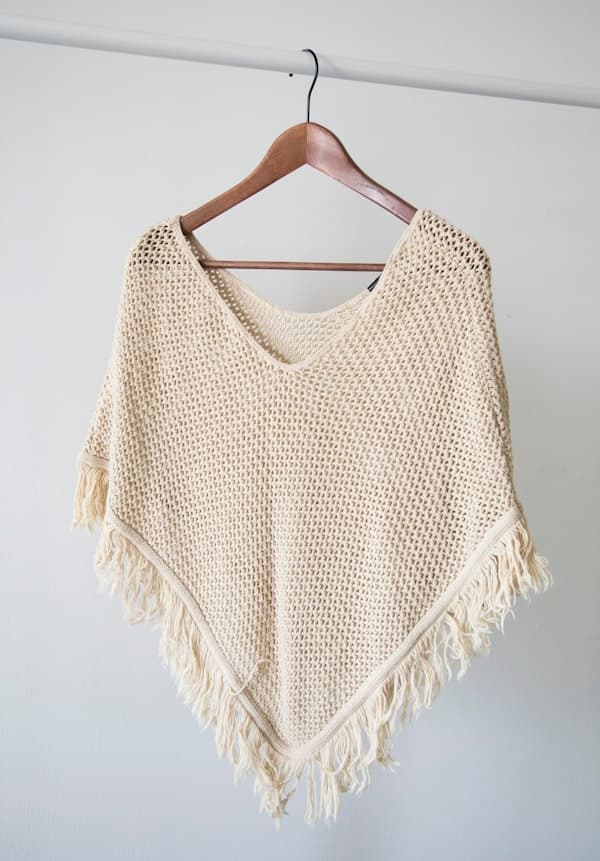
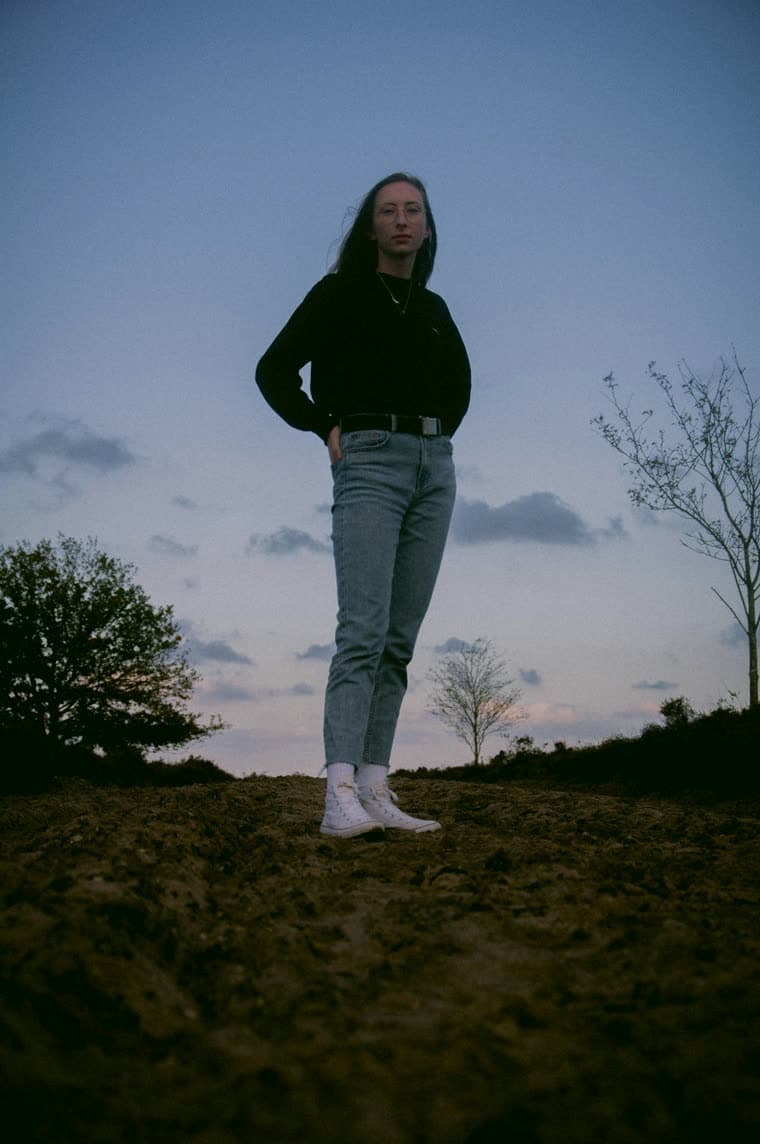
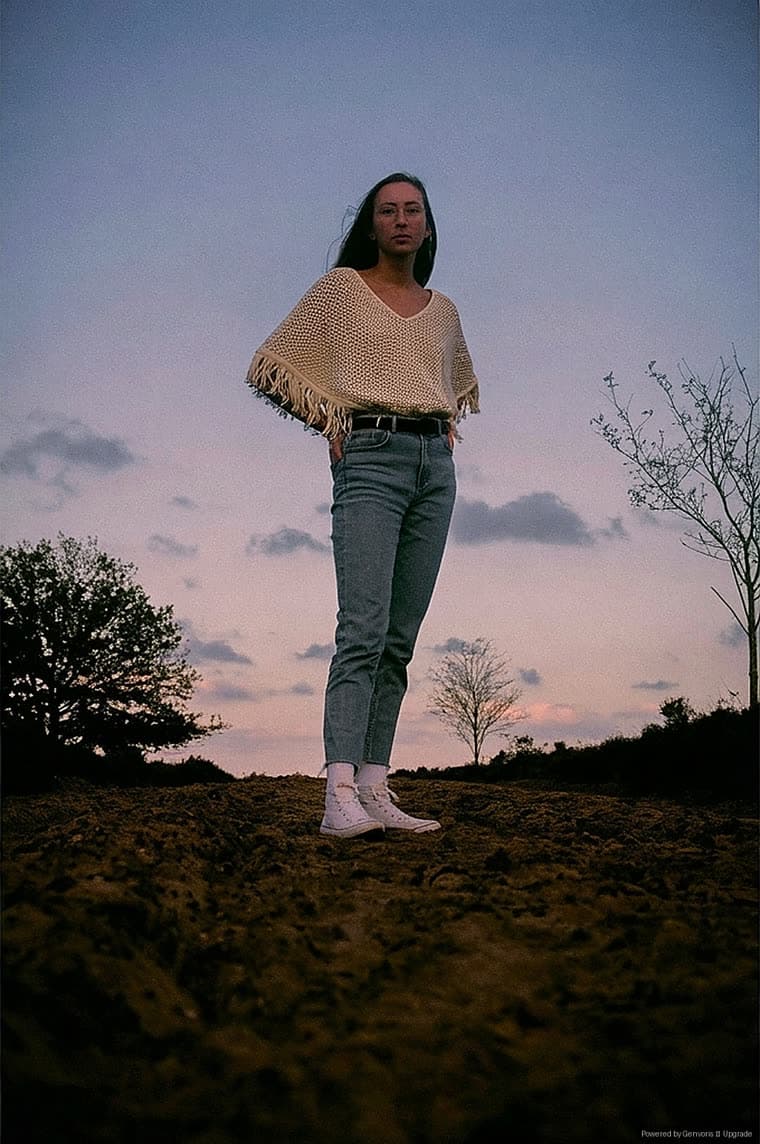
Knit Fringe Poncho
 RESULT
A deliberately awkward silhouette. Open-weave knit and a fringed hem are the kind of detail that usually smears — here the weave stays legible and the fringe falls with the body instead of floating.
Bottoms
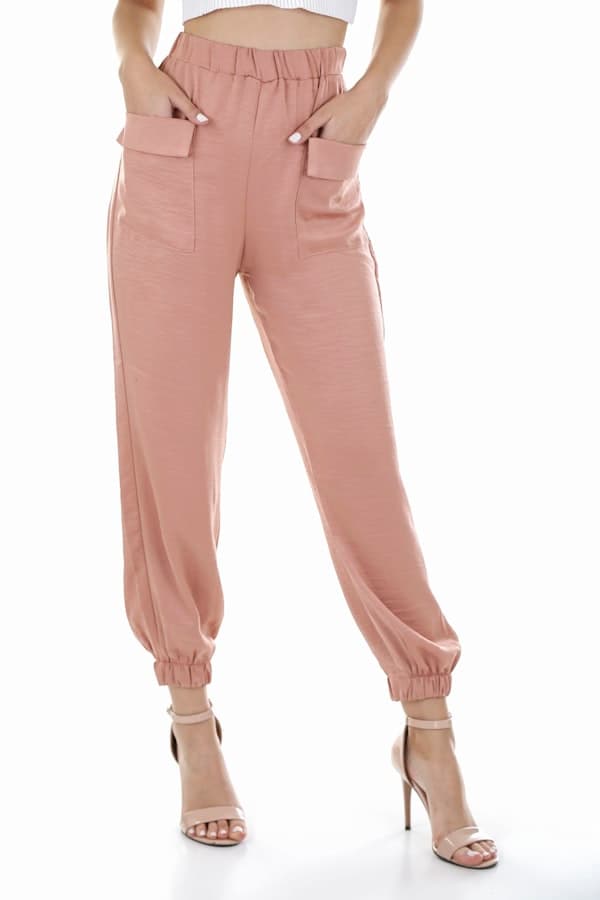
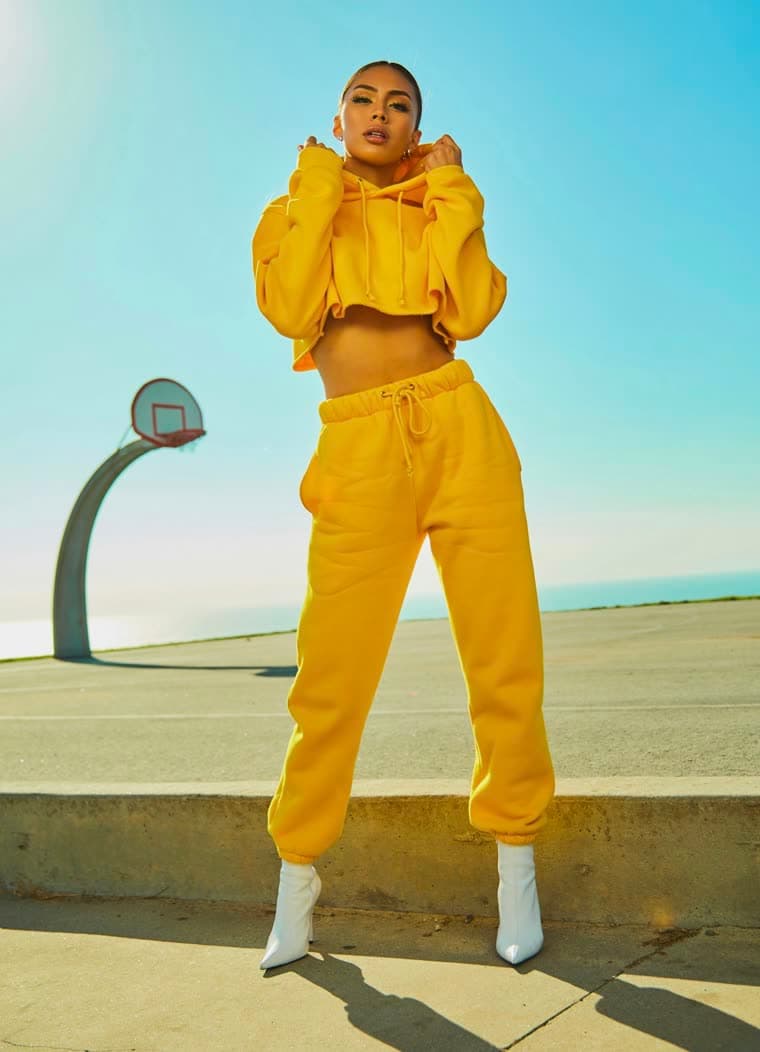
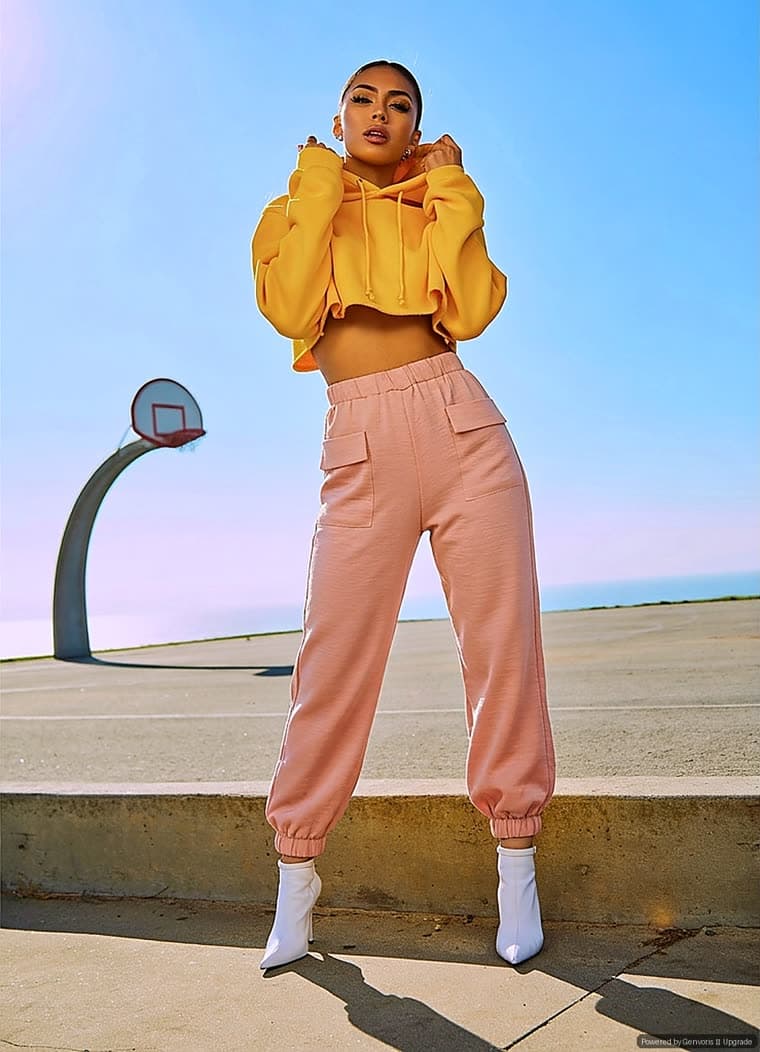
Blush Jogger Pants
 RESULT
Lower-body replacement on a women’s fit. Only the trousers change — the cropped hoodie, the boots and the pose stay exactly as shot, which is what makes a bottoms try-on read as real rather than a full-body redraw. The flap pockets and elasticated cuffs from the product photo carry through.
Three steps, no theme code
Shopper opens a product
The try-on button renders inside your theme through a Shopify theme app extension. No theme code to edit.
They upload one photo
A single front-facing photo. Genvoris reads the product image and returns tailored posing guidance before they shoot.
The result appears in seconds
The generated image stays on the product page, so the shopper never loses their place in the buying flow.
About these images
Results vary with photo quality — front-facing, evenly lit, full-body photos against a plain background produce the most reliable output, which is why the widget shows posing guidance before the shopper uploads. Garments with complex drape or fine repeating patterns are the hardest case, and the poncho above is included precisely because it is one.
Try it on your own catalogue
Install on Shopify and the first 30 try-ons each month are free — no card required.